
Open Priority Support
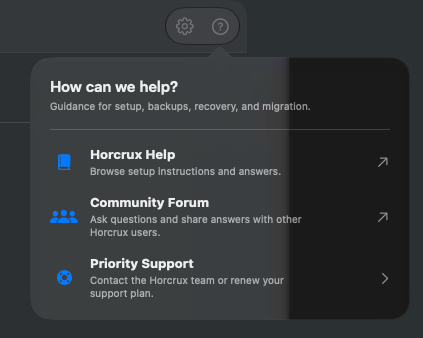
- In the main Horcrux window, click the Help button (the question mark next to the Settings gear in the upper-right corner).
- Choose Priority Support at the bottom of the menu.
Send a request
When your support is active, enter your name and email address, choose a topic, and describe what happened. Click Send Request. The team will reply by email.
If your support has expired, you can renew it in this window or ask in the free community forum.