
Why seed the first backup?
A large first backup can take time over IMAP. Google documents a daily IMAP download bandwidth limit for Google Workspace accounts, and notes that limits may change without notice. Seeding gives Horcrux a local copy to use when the message identifiers match.
Export Mail from Google Takeout
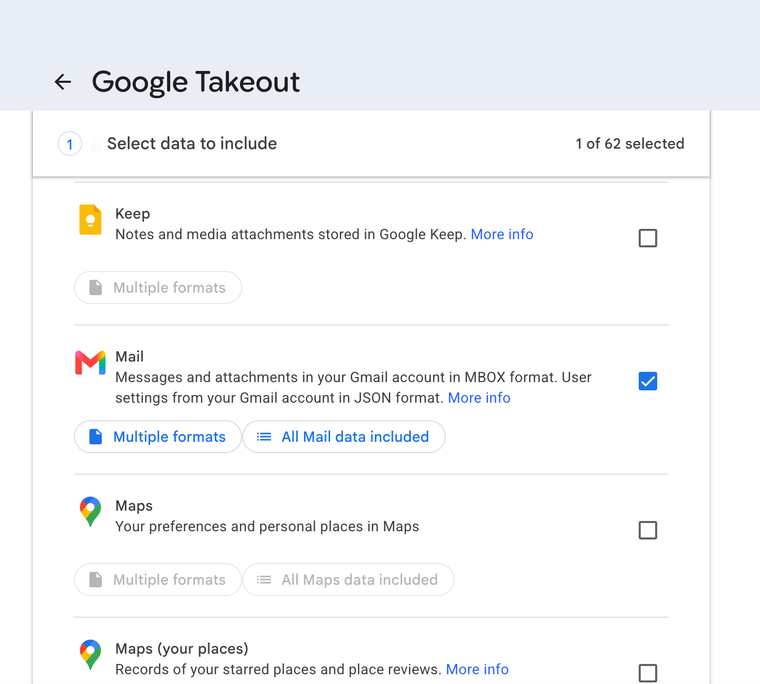
- Open Google Takeout.
- Choose Deselect all, then select only Mail.
- Continue and choose Export once.
- Create the export and wait for Google to finish it.
- Download and expand the completed archive.
The export can take a while
Google may need several hours or longer, depending on the size of the account. You do not need to keep Horcrux open while Google prepares it.
Import the MBOX into Horcrux
Return to the Gmail setup in Horcrux and choose the downloaded .mbox file. Horcrux uses matching messages to seed the first backup.
If you skipped this step, open Manage Account, choose Imported Mail, and import the MBOX there before running the backup.
Your original export is unchanged
Horcrux reads the selected MBOX. It does not modify or delete the Google Takeout archive.