
Two useful levels of verification
| Check | What it verifies | When to use it |
|---|---|---|
| Verify Saved Backups | Checks that the messages expected by the committed catalog are present, with a quick saved-file size check when available. | Routine checks after backup or on a schedule. |
| Deep Verify | Reads every unique saved email file at each selected Backup Location and compares its complete contents with the integrity information recorded when it was saved. | Periodic assurance, after storage trouble, or before an important restore. |
Neither check compares the backup with the current live mailbox, and neither changes saved mail. The result belongs to the Backup Location that was actually checked.
Verify Saved Backups
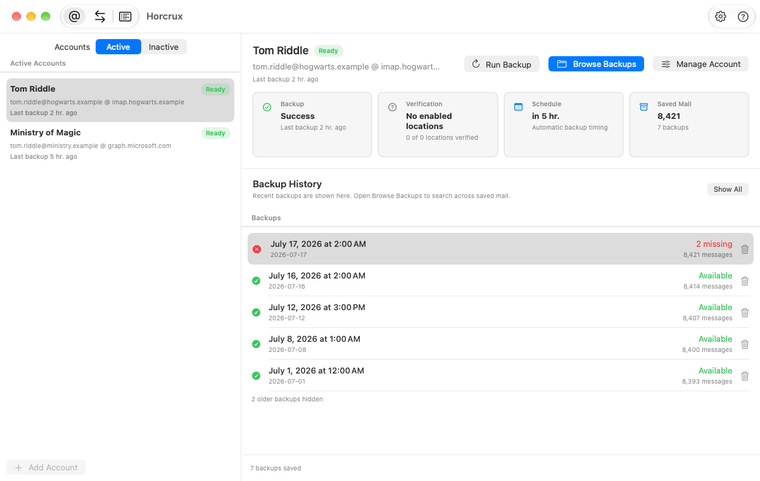
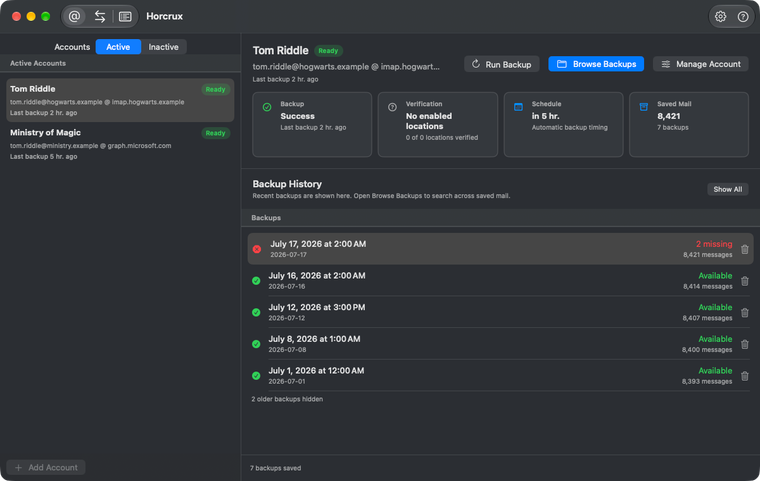
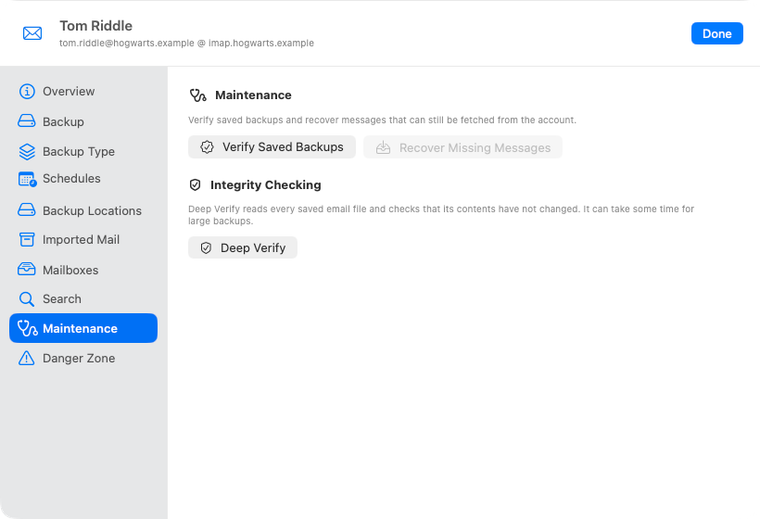
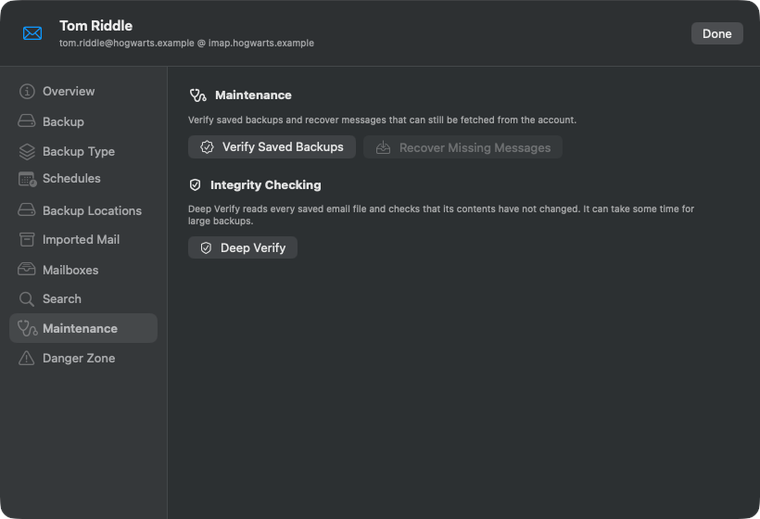
Open Manage Account, choose Maintenance, then click Verify Saved Backups. Horcrux checks every dated Backup History version or the account’s Email Archive.
A lightweight verification also runs after a successful backup. The backup and verification appear as separate Jobs so a successful save remains distinct from a later integrity finding.
Deep Verify reads every saved email
Deep Verify lets you select one or more local, SFTP, or Amazon S3 Backup Locations. At each selected location it reads every saved message file in full, measures its size, calculates its SHA-256 integrity value, and compares both with the committed catalog.
- It detects missing, unreadable, changed, or internally inconsistent saved mail.
- It reports the number of files and bytes actually read.
- It can take a while for a large backup because it deliberately reads everything.
- Remote checks can transfer substantial data and may incur bandwidth or provider charges.
- It never rewrites a message to make a failed check disappear.
Older backups may need preparation
New backups record the information Deep Verify needs as each message is saved. Older backups may show Prepare Integrity Checking first.
Preparation reads older saved mail, records its size and integrity value, and adds the message identity needed for safer restores that avoid duplicates. You can cancel and resume it. Deep Verify becomes available after preparation completes.
Automatic verification is optional
Open Manage Account, then Schedules, to enable automatic saved-backup verification. It is off by default and can run daily, every two days, weekly, or every 30 days.
Automatic verification can run for a paused or disconnected email account as long as a required Backup Location is available. Findings appear in account health, Maintenance, and Jobs.
Recover a missing saved message
When verification finds missing files, run Recover Missing Messages to check your Backup Locations and the original provider for a valid copy.